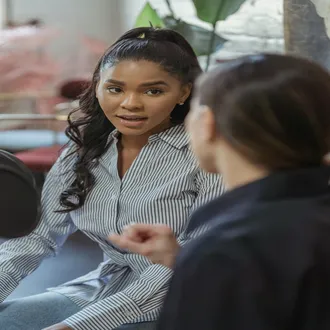
Nonverbal communication in video calls: guide to successful telework - communication non verbal businesses

onlinecourses55.com For Onlinecourses55 | 2026-10-11
Nonverbal communication in video calls: guide to successful telework - communication non verbal businesses


Nonverbal communication in video calls: guide to successful telework - communication non verbal businesses

In remote work, mastering nonverbal communication can bridge the gap of misunderstandings, helping you connect more effectively with your team.

Why nonverbal cues matter in remote work

In a virtual meeting, much of the message travels beyond the words. Posture, eye contact, gestures and the way the voice is used influence how credibility, empathy and clarity are perceived. Unlike an in-person conversation, peripheral information is lost on screen and interferences appear: latency, muted microphones, turned-off cameras or tiny gallery tiles. For that reason, it's useful to amplify intent through deliberate and consistent nonverbal cues. When people have less to interpret, there are fewer misunderstandings, more connection and faster decisions.

Preparing the visual environment

Lighting and framing

A clean image makes it easier to read expressions and builds trust. Soft, frontal light avoids harsh shadows; framing at eye level reduces the sense of superiority or submission. Seeing hands and part of the torso helps interpret regulating gestures, such as nodding or pointing.

  • Position the camera at eye level; avoid angles from above or below.
  • Prioritize frontal natural light or a diffused lamp; avoid backlighting.
  • Framing: leave a little space above the head and show shoulders and hands.
  • Clean the lens and avoid filters that distort expression.

Background and attire

The background communicates context and professionalism. Solid colors and order reduce distractions. Clothing should contrast with the background and support the message: neutrals for formal meetings, touches of color to maintain energy in long sessions.

  • Choose simple, well-lit backgrounds with no movement.
  • Avoid very busy patterns; they create a moiré effect on camera.
  • Wear colors that flatter your skin tone and contrast with the background.
  • Keep water and notes within reach but out of frame so you don't break the flow.

Body language on camera

Posture and hands

Open posture conveys confidence and availability. Relaxed shoulders and a torso oriented toward the camera show interest. Visible hands reinforce credibility, since the human brain trusts more when it sees gestures congruent with speech.

  • Keep both feet on the floor; avoid rocking that distracts.
  • Use medium-sized gestures, above the desk and within the frame.
  • Avoid touching your face repeatedly; it can suggest nervousness.
  • Nod intentionally to signal active listening without interrupting.

Eye contact and expressions

Looking at the lens simulates eye contact, while looking constantly at the screen can seem evasive. Alternate to read reactions without losing connection. Subtle microexpressions, like smiling with the eyes, soften difficult messages and help maintain a positive atmosphere.

  • Speak looking at the lens when you convey key ideas or ask questions.
  • Relax your face; avoid a frown caused by concentration.
  • Smile when greeting and when closing; mark start and end with warmth.
  • Make small pauses after questions to allow responses without talking over them.

Voice and silences that communicate

The audio channel is part of the nonverbal: tone, pace, volume and pauses shape meaning. A varied tone sustains attention; a pace that is too fast is perceived as anxiety or imposition. Strategic silence creates space for reflection and makes interventions more digestible.

  • Modulate volume according to content: emphasize with slight rises, not with shouting.
  • Frame ideas in 3 short sentences; breathe and pause to signal a topic change.
  • Use positive filler words ('sure', 'that makes sense') sparingly to validate.
  • Avoid talking over others; if there is echo, yield the floor and resume with a summary.

Etiquette rules for online meetings

Clarity of shared behavior reduces friction. Establishing simple rules for visual and audio coexistence helps the group move smoothly, even when technology does not cooperate.

  • Camera on at key moments: start, decisions, closings.
  • Microphone muted when not speaking; hands visible to request a turn.
  • Use reactions to agree quickly: thumbs up, raised hand, applause.
  • When screens are shared, the speaker looks at the lens when summarizing conclusions.

Reading others in gallery view

Interpreting multiple windows requires prioritizing cues. Emphasize visible changes: a closed posture, diverted gaze, leaning into the screen. Don't assume intentions; validate with brief questions to confirm readings.

  • Watch for synchrony: when several people nod at once, there is alignment.
  • Detect fatigue: heavy eyelids, head resting on hand, micro-yawns.
  • Note confusion: raised eyebrows and a tilted head; intervene with a summary.
  • If there is latency, wait an extra second after asking before continuing.

Leading meetings with clear signals

The facilitator should design the group's nonverbal flow: entry, turns, participation and closing. Predictability lowers cognitive load and raises the quality of the conversation.

  • Open with a visible agenda and interaction rules (hands, chat, reactions).
  • Assign turns by name and look to the lens to invite speaking.
  • Use a 'traffic-light' agreement: green (ok), yellow (question), red (objection).
  • Close with a visual recap: fingers to count decisions 1–3 and next steps.

Avoiding misunderstandings and conflicts

The lack of bodily context can inflate tensions. The solution is to redundantly use caring and precise signals. Paraphrasing and confirming reduces noise; regulating emotions with breathing and voice pace prevents escalations.

  • Paraphrase: 'What I hear is…' and look at the lens when validating.
  • Regulate the body: shoulders down, long exhale before responding.
  • Separate people from problems: open-hand gestures when talking about processes.
  • Document agreements on screen; close with a visual confirmation from the group.

Cultural and accessibility considerations

Gestures don't mean the same thing in all regions and not everyone perceives cues the same way. Inclusion improves outcomes and the work climate.

  • Avoid ambiguous gestures; prefer thumb or open hand to agree.
  • Enable captions when possible and articulate clearly.
  • High contrast on slides; a slow pace for interpreters or notes.
  • Ask preferences: optional camera on, turns by chat if appropriate.

Practical situations

Sales and demonstrations

Trust is built with calm presence and clear demonstrations. Show your hands when explaining benefits, alternate gaze between the lens and the client, and use pauses for questions. At closing, summarize with three points and nod slowly when requesting the next step.

Interviews and 1:1s

Active listening is key. Lean the torso slightly forward when listening, validate with nods and warm microexpressions. Avoid interrupting; use the virtual raised hand or a subtle gesture to ask for the floor in delicate moments.

Training and webinars

Sustained energy matters more than speed. Change intonation every few minutes, ask for check-ins with reactions and turn the body slightly when moving from theory to practice to mark the transition. Close each block with a 'thumbs up' gesture to gauge understanding.

Training and feedback

Improving requires awareness and deliberate practice. The camera is your mirror: review recordings, detect tics, measure timings and adjust. Ask for specific feedback on posture, gaze and use of pauses. Small changes accumulate and are noticed quickly in team results.

  • Record two minutes of yourself presenting a topic and analyze posture, hands and voice.
  • Define one focus per week: look at the lens, pauses or gestures.
  • Ask a colleague to rate nonverbal clarity at the end of each meeting.
  • Iterate: a new habit takes weeks; celebrate visible progress.

Essential checklist

Before the meeting

  • Test camera, audio, light and background; clean the lens.
  • Define 3 key messages and gestures that reinforce them.
  • Prepare simple interaction rules and share them at the start.

During

  • Look at the lens when opening, asking and closing.
  • Use pauses and reactions to mark rhythm and agreement.
  • Observe signs of fatigue or confusion and adjust with brief summaries.

After

  • Send a closing with decisions and next steps in clear language.
  • Note one nonverbal learning to improve for the next time.
  • Ask for feedback on presence, clarity and pace.

Adopting clear nonverbal habits turns virtual meetings into more effective collaboration spaces. With a cared-for environment, a mindful presence and shared signals, remote work becomes more human, predictable and productive. Practice, adjust and repeat: consistency is the difference between meetings that drain energy and conversations that drive results.

Become an expert in Communication non verbal businesses!

Discover the keys of body language for selling and leading. Practical online course - Made up of 15 topics and 40 hours of study – for only $12.00

EXPLORE THE COURSE NOW

Recent Posts