

The Definition and Fundamental Nature of a Project
Learn how temporary, unique projects differ from recurring operational processes, and why this distinction guides effective management and resource allocation.
Watch Video For Onlinecourses55
|
2026-11-19
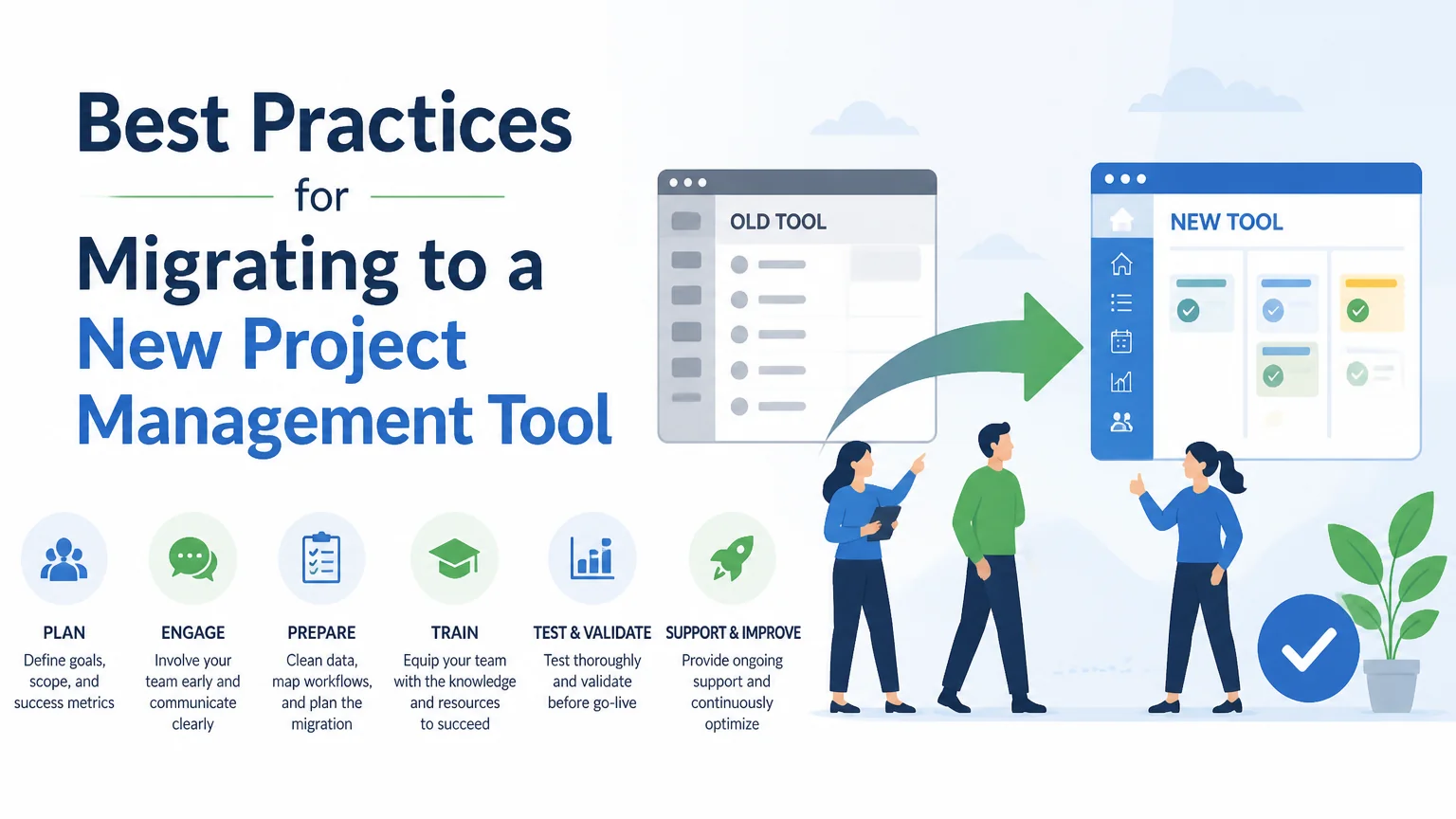
Best practices for migrating to a new project management tool
Transitioning to a new project management tool requires careful planning and execution. To gain expert insights into this process, consider enrolling in a strategic course focused on project management best practices that will prepare you for successful tool implementation.
Embarking on the transition to a new project management tool requires more than simply moving tasks from one place to another. Experience shows that successful migration projects combine an honest assessment of the current state, solid planning, constant communication, and rigorous testing. In this post, I share practical recommendations, concrete steps, and common pitfalls to minimize risks and maximize adoption. It is aimed at both small teams and organizations with established processes, and seeks to provide a clear roadmap for those leading or participating in the change.
Before making any decisions, it’s essential to map out the current situation. Identify the tools in use, critical workflows, integrations, and any limitations you’re experiencing. Involve representatives from each affected area to capture real needs and expectations. Define success metrics that allow for before-and-after comparisons, such as turnaround time, status visibility, the number of parallel tools, and team satisfaction levels. Also, take inventory of the data to be migrated, its quality and sensitivity, and identify technical dependencies that could complicate the transfer. An honest assessment reduces surprises and allows you to prioritize what truly matters.
The choice of the new system must be based on the prior assessment and measurable objectives. Evaluate ease of use, flexibility to adapt processes, integration capabilities with other tools, scalability, and total cost of ownership. Also consider vendor support, the user community, and how quickly improvements can be implemented. Test with pilot teams before committing to a full-scale implementation.
Detailed planning makes the difference between a controlled migration and a chaotic deployment. Define a timeline with clear phases: discovery, pilot migration, phased migration, and stabilization. Assign roles and responsibilities, including a project team, sponsors, and operational leads. Establish checkpoints and acceptance criteria for each phase. Plan time windows for migrations that affect critical processes and consider strategies for system coexistence during a transition period. Document rollback procedures and contingency measures to minimize impact in the event of unexpected failures.
Data migration is often the most delicate part. Begin by cleaning and normalizing the data to avoid carrying errors over to the new system. Define a data map that maps old fields to new ones, and document any necessary transformations. Prioritize critical data sets and test the migration with representative data volumes to measure processing times and identify bottlenecks. Ensure quality control measures are in place: automatic validations, manual sampling, and reconciliation of totals. Don’t overlook legal and privacy considerations: apply data retention rules, anonymization, or encryption where appropriate. Finally, automate the process as much as possible to reduce human error and facilitate repeatability.
Adoption depends largely on the preparation and confidence of the people who will use the tool. Design a communication plan that explains the rationale behind the change, the expected benefits, and the impact on daily processes. Offer hands-on training tailored by role: administrators, project managers, and end users require different content and levels of detail. Create accessible materials such as quick guides, short videos, and live sessions with real-world examples. Identify and train internal champions to support their colleagues. Gather feedback from the start and adjust the training approach based on the actual challenges identified. Recognize small victories along the way to maintain motivation.
Before decommissioning the old system, it is essential to verify that everything works as expected. Design test scenarios that include typical and exceptional cases, performance tests, and integration tests with other applications. Use real data in test environments to replicate behavior and verify response times. Document results, detected errors, and corrective actions. Set a go-live date that allows for intensive support during the first few weeks, and establish direct communication channels for reporting incidents. Have a rollback plan ready in case critical metrics are not met, and establish a post-change observation period to evaluate adoption and stability.
The work does not end with implementation: a phase of stabilization and continuous improvement begins. Monitor the metrics defined at the outset to verify whether objectives are being met. Compile periodic reports on usage, cycle times, incidents, and user satisfaction. Analyze bottlenecks and processes requiring adjustments; prioritize improvements based on impact and the effort required. Maintain an open channel for receiving suggestions and bug reports, and process change requests through an agile cycle. Schedule governance reviews to adjust permissions, workflows, and configurations to align with operational realities. Take advantage of vendor updates to incorporate features that increase efficiency and reduce manual work.
A successful migration requires attention to both the technical and human aspects. Investing time in diagnosis, choosing a solution aligned with actual objectives, and designing a phased migration reduce risks and hidden costs. Data cleansing and validation, testing with representative scenarios, and having contingency plans in place ensure minimal operational impact. Likewise, a well-thought-out training strategy and the identification of internal change agents accelerate adoption. After launch, constant monitoring and the prioritization of improvements allow you to turn the change into a competitive advantage. Remember that every organization is different: adapt these practices to your context, document decisions, and learn from each iteration to create more robust and reliable processes for future transitions. Measure results, celebrate progress, and maintain a mindset focused on improvement. Over time, the lessons learned will translate into faster deployment cycles, fewer errors, and greater alignment between technology and business objectives—driving lasting, sustainable results.
Do you prefer learning by watching and listening? Expand your knowledge with these free videos related to this topic.
Learn how temporary, unique projects differ from recurring operational processes, and why this distinction guides effective management and resource allocation.
Watch VideoApply management methods to turn institutional vision into tangible results: meet strategic goals, optimize resources, and reduce risks, delays, and costs.
Watch VideoLearn to effectively manage the project triple constraint of scope, time, and cost, understand their interdependence, and protect quality when plans change.
Watch VideoSearch
Popular searches


