__MINIFY_BLOCK_0__

Free vs. paid project management tools: which is best? - manager projects

onlinecourses55.com

ForOnlinecourses55

2026-09-05
Free vs. paid project management tools: which is best? - manager projects


Free vs. paid project management tools: which is best? - manager projects

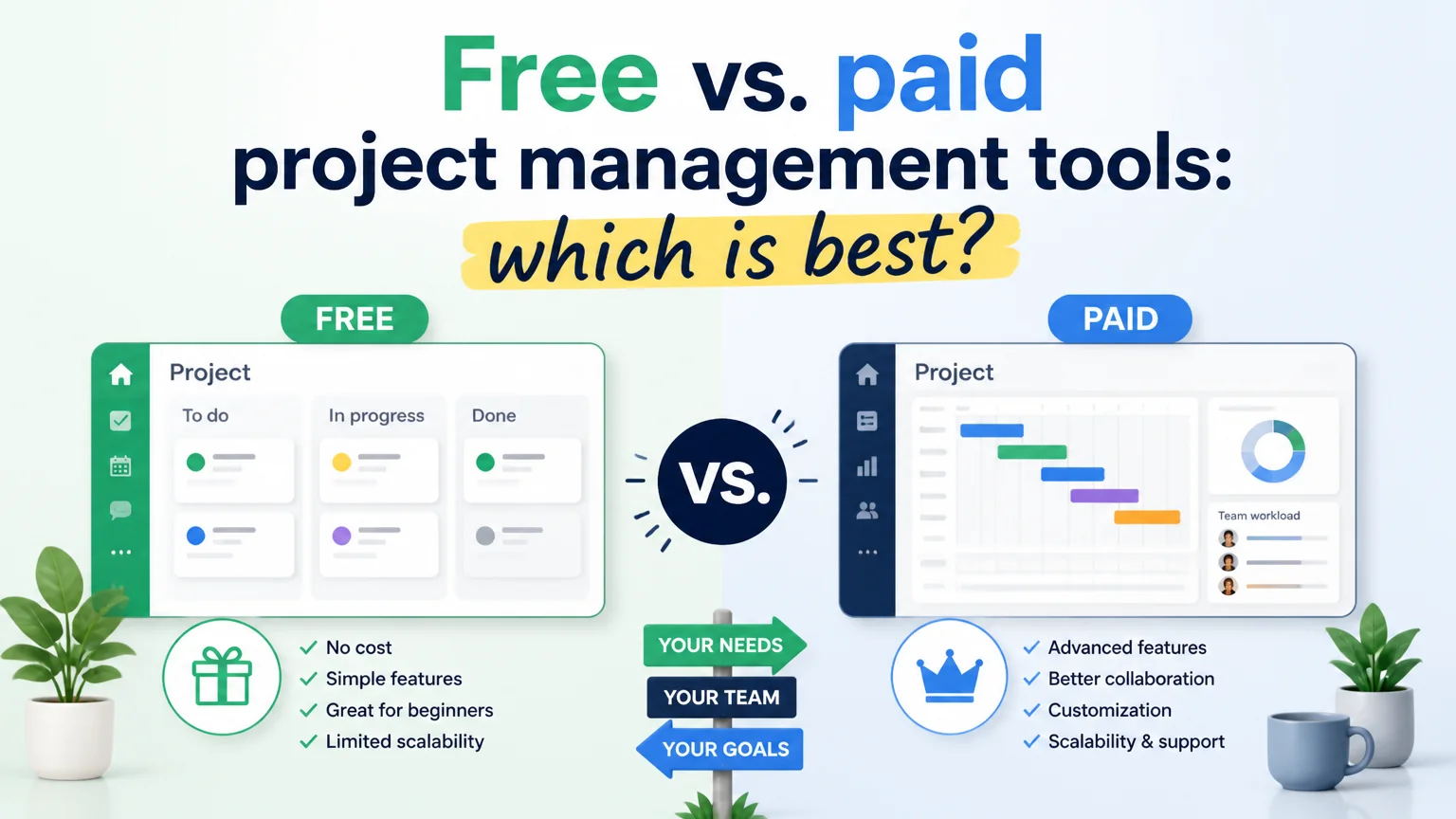
Choosing the right tool to manage projects can make the difference between keeping work organized or getting overwhelmed by tasks and scattered communication. Free and paid options offer different features: some appeal because of their zero cost and simplicity, while others stand out for their robustness and support. Below, we analyze the advantages, limitations, and practical criteria for making a decision that suits your team and the type of project.

What a Project Management Tool Offers

A project management tool centralizes tasks, deadlines, resources, and communication. It provides visibility into progress, allows you to prioritize activities, identifies bottlenecks, and tracks who did what and when. In addition, many include timelines, Gantt charts, Kanban-style boards, and reports that help you make informed decisions.

Common Benefits

  • Organization and prioritization of tasks.
  • Centralized communication among participants.
  • Tracking of progress and adherence to deadlines.
  • Historical record of changes and deliverables.

Advantages of Free Project Management Tools

Free versions are attractive for small teams, personal projects, and startups. They allow you to test workflows without spending money and determine whether the tool fits the team’s way of working.

Key strengths

  • Zero cost: They eliminate the financial barrier to getting started with a project management tool.
  • Low learning curve: They typically offer basic features that are easy to learn.
  • Quick implementation: ideal for teams that need to get started right away.
  • Good for simple or short-term projects.

Limitations of Free Versions

However, free plans often have restrictions that, over time, can hinder productivity: limits on the number of users or projects, locked advanced features, limited storage, or a lack of technical support.

Risks to Consider

  • Limited scalability: as the team grows, the tool may fall short.
  • Lack of integrations: fewer connections to other business applications.
  • Security and control: features such as SSO, advanced permission management, or audits may be missing.
  • Reliance on basic features that may not meet complex needs.

Advantages of payment processors

Paid plans offer greater capacity, support, integrations, and advanced features designed for medium and large teams or critical projects. Paying isn’t always synonymous with overspending; in many cases, it means investing in efficiency and risk reduction.

Common features and benefits

  • Advanced automations and workflows that save time on manual tasks.
  • Native integrations with communication, storage, and development tools.
  • Enhanced security, access control options, and regulatory compliance.
  • Technical support and training for implementation and adoption.
  • Custom reports and metrics to measure performance and ROI.

When to Choose the Free Plan

The free option is usually sufficient in specific contexts. If your team is small (1–5 people), your projects are simple or experimental, or if you need to validate a work method before investing, starting with a free option makes sense.

Typical Use Cases

  • Personal projects or freelance work with few concurrent tasks.
  • Teams in the testing phase of agile or Kanban processes.
  • Very early-stage startups with a limited budget.
  • Projects with basic collaboration requirements and no need for complex integrations.

When It Makes Sense to Pay

If your company manages multiple projects simultaneously, needs accurate metrics, integrates billing or development tools, or has security and compliance requirements, a paid plan usually justifies its cost through time savings, reduced errors, and professional support.

Signs It’s Time to Upgrade

  • Your team has exceeded the user limit for the free plan.
  • Manual tasks that could be automated are being repeated.
  • Need for integrations with CRM, code repositories, or BI tools.
  • Corporate security requirements (SSO, granular roles, audit logs).
  • Projects with high financial impact where failure can cost money.

Practical Criteria for Choosing

When choosing between free and paid options, evaluate specific criteria that go beyond price. Make a list of essential, desirable, and non-essential needs, and compare options based on how well they meet those requirements.

Useful checklist

  • Users and scalability: How many users does it support, and what happens after that?
  • Key features: task management, dependencies, Gantt charts, reports.
  • Required integrations: email, calendar, code repositories, billing.
  • Security and compliance: encryption, SSO, permissions, and audits.
  • Support and training: response times, resources, and onboarding.
  • Total cost: price per user, fees for storage or integrations.

Tips for a Smooth Transition

If you decide to migrate from a free platform to a paid one, plan the transition to minimize friction. Migration involves not only moving data but also changing habits and processes.

Recommended steps

  • Audit current usage: Identify which features your team actually uses.
  • Try before you pay: Take advantage of demos or trial periods.
  • Train your team: Short training sessions reduce resistance.
  • Data migration plan: Export and import information securely.
  • Define clear processes: Establish usage conventions for tasks, tags, and priorities.
  • Measure before and after: track times and metrics to assess the impact.

Practical Recommendation

There’s no one-size-fits-all answer: the choice depends on team size, the complexity of the work, and security and integration requirements. Start by defining needs and priorities. If budget is a real constraint, try the free version and track when you reach its limits. If efficiency and risk reduction are critical, evaluate the return on investment of a paid plan.

Final Considerations

  • Prioritize tools that facilitate adoption and real collaboration, not just a list of features.
  • Avoid overbuying: paying for features you won’t use isn’t efficient.
  • Periodically review whether the tool remains aligned with the team’s needs.

Making the right decision involves balancing cost, functionality, and scalability. With an honest assessment of your needs and a controlled trial, you can choose the option that allows you to better organize your work without burdening the team with unnecessary tools.

Become an expert in Manager projects!

Learn to plan, coordinate and close projects optimizing time and resources - Consisting of 19 topics and 56 hours of study – for only 12,00$

EXPLORE THE COURSE NOW

Recent Posts